1.3.3.8.5. blockdiag Directive - Packet Diagram
Requirements:
Install:
sphinxcontrib-nwdiagvia Python pip (Included in SPHINX_ENV_INSTALL, Sphinx Environment)Add
sphinxcontrib.packetdiagto Sphinx extentions in conf.py (Included in SPHINX_ENV_INSTALL, Sphinx Environment via defaults.py)
This is your .rst file code example to create a Packet Diagram http://blockdiag.com/en/nwdiag/index.html:
Option |
Values |
|---|---|
:align: |
left, center or right |
:scale: |
0-100 percentage value |
:caption: |
text to label Figure |
:name: |
text to create hyperlink for sphinx (no spaces) |
.. packetdiag::
    :align: center
    :caption: Example - Packet Diagram
    :name: triton_coe_test_packetdiag
    :scale: 100

    packetdiag {
        colwidth = 32
        node_height = 72

        0-15: Source Port
        16-31: Destination Port
        32-63: Sequence Number
        64-95: Acknowledgment Number
        96-99: Data Offset
        100-105: Reserved
        106: URG [rotate = 270]
        107: ACK [rotate = 270]
        108: PSH [rotate = 270]
        109: RST [rotate = 270]
        110: SYN [rotate = 270]
        111: FIN [rotate = 270]
        112-127: Window
        128-143: Checksum
        144-159: Urgent Pointer
        160-191: (Options and Padding)
        192-223: data [colheight = 3]
    }
The previous code-block will generate this Packet Diagram:
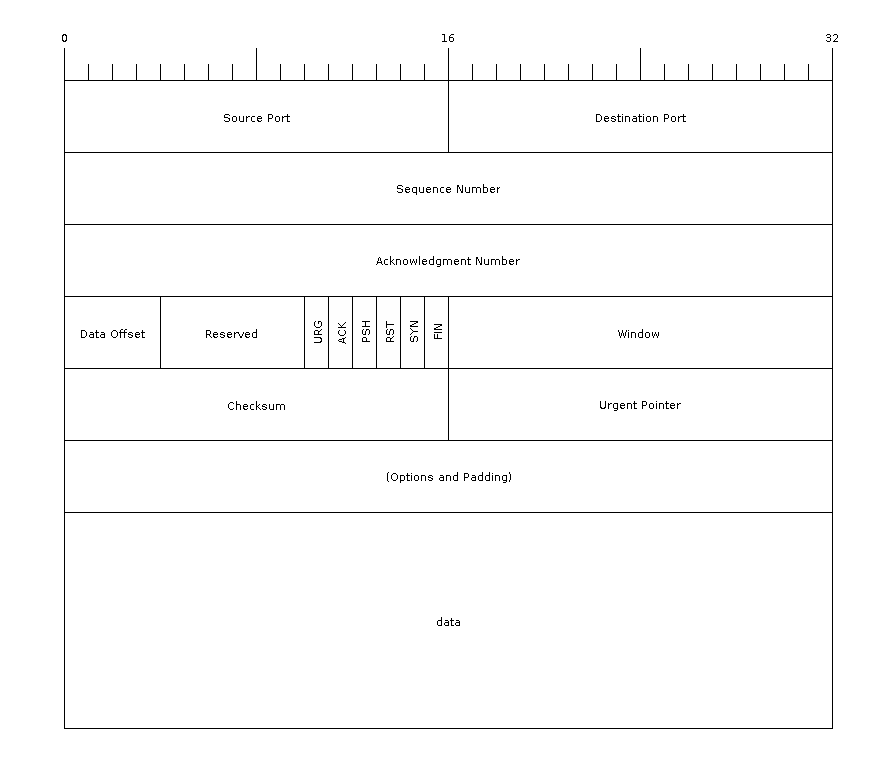
Figure 1.6 Example - Packet Diagram